Tasker by Taskrabbit
- 3.1
- Rating
- 1.00M
- Installs
- Free
- Price

 Analysis by App-foxy
When I look at Tasker by Taskrabbit, I see a lifestyle app aimed at people who want to earn money by taking on local tasks rather than committing to one fixed kind of work. I tested it with a practical question in mind: would it make sense on a shared household phone, where one person manages the device but another person may actually perform the tasks? My answer is yes, but only if everyone treats the account as belonging to one individual. It is not a family organizer or a shared chore board; it is a work-oriented tool for a person acting as a Tasker.
The app is free to use, comes from TaskRabbit Inc, and has built a sizable audience, with over one million installs. Its store summary, “Earn money your way,” describes the basic appeal accurately, but it does not explain the decisions that make or break the experience: whether the work fits your schedule, how carefully you present yourself, and how clearly you coordinate with clients. In my experience, those practical details matter more than simply downloading the app.
Using Tasker in a shared household
A realistic example is a couple sharing a tablet or an older phone at home. One person may browse available opportunities during the evening, while the person who accepts the work handles the actual communication and appointment. That arrangement can work as a planning habit, but I would not treat the app like a jointly owned household account. The profile, messages, availability, and task history should remain tied to the individual who is offering the service.
You May Also Like

 Blood Strike: 2.5 Anniversary
Blood Strike’s Loadouts Turn Every Drop Into a Tactical Gamble
A close look at Blood Strike’s custom loadouts: how fast access to signature weapons reshapes its battle royale rhythm, rewards preparation, and narrows the gap between fights.

 Pandora - Music & Podcasts
Pandora’s Music Is Easy to Start, but Harder to Recover
Pandora’s strength is its low-effort path from a seed to a station. Its weak spot is how much confidence it asks you to place in connection, setup, and quiet recovery.

 8 Ball Pool
 Is Built on Rivalries, Rematches, and Routine
A close look at the rivalries, rematches, shared routines, and unanswered safety questions that turn a quick pool match into a persistent mobile community.

 Samsung Music
’s Quiet Strength Is Playing What You Already Own
Its reach comes less from spectacle than from dependable access to a personal library. That simplicity is both the app’s strongest retention engine and its ceiling.

 AccuWeather: Weather Radar
AccuWeather Review: A Quick, Clear Forecast for Everyday Decisions
For everyday plans, the best forecast is the one you can understand quickly. AccuWeather makes rain timing, radar, and local conditions easy to act on, with a few trade-offs.

 Hill Climb Racing
Why Hill Climb Racing Still Turns Crashes Into One More Run
A tiny car, a bumpy hill and one more upgrade: Hill Climb Racing keeps resurfacing because its simple chaos makes every near-miss feel personal.
More From Our News Desk



This distinction is important because a client needs to know who is coming to help. If one household member answers a message and another arrives without clear communication, even a simple task can become uncomfortable. I recommend using the app on the Tasker’s personal device whenever possible. If a shared device is unavoidable, sign out when finished and avoid leaving conversations open for the next person to read accidentally.
The strongest shared-use case is not “several people working from one profile.” It is household support around one person’s independent work. A partner might help compare time slots, check whether travel fits around dinner, or read a task description aloud while the Tasker makes the final decision. That can reduce rushed choices without blurring responsibility.
I also found that household planning is useful before accepting a booking. A task may look convenient until you include travel, preparation, parking, equipment, or the time needed to return home. Discussing those details with the people you live with can prevent a booking from colliding with school pickup, another job, or a shared vehicle. Tasker is better when it supports a realistic schedule, not when it encourages filling every empty hour.
What the first setup should establish
Tasker is presented as an app for people offering their time and skills, so the first setup should be treated like a professional introduction rather than a casual social profile. I would use a clear name, a straightforward description of the work I can actually do, and language that sets sensible expectations. Overpromising is especially risky in household jobs, where the client may be relying on help with a deadline.
Before accepting anything, I would decide which tasks fit my real abilities. Someone comfortable with organizing may be well suited to errands or home organization, while someone experienced with physical work may prefer moving-related jobs. The important point is to choose based on repeatable ability, not on what sounds easiest in a short description.
On a shared device, setup boundaries should be explicit. The Tasker should control the profile and make the final choices. A family member can help with spelling, scheduling, or checking a route, but should not casually change the service description or respond to a client as if they were the worker. This is a small rule with a large benefit: it keeps the client relationship understandable.
The app is free, which makes trying it less intimidating, but free access does not mean the work has no cost. Your time, transport, supplies, and preparation still affect whether a task is worthwhile. I would write down those costs before deciding how much availability to offer. That simple habit helps prevent a busy calendar from turning into disappointing earnings.
Coordinating a task without creating confusion
Good coordination starts with reading the request carefully and asking focused questions before agreeing. I would confirm what needs to be done, where it will happen, when the client expects help, and whether the job appears to require tools or physical effort. If the description is vague, accepting first and clarifying later creates unnecessary pressure for everyone.
Tasker works best when the app is the central record of the conversation. I would avoid relying on a partner’s memory, a note on the refrigerator, or a separate family chat as the only source of appointment details. Those tools can help with household planning, but the Tasker should return to the app before leaving for the job and check the current conversation.
A useful household routine is to review the next appointment once, then stop discussing it through multiple channels. For example, the Tasker can tell a partner that a booking exists and that the car is needed, while the exact client instructions remain in the Tasker’s own conversation. This separates logistics from private work communication and reduces the chance that someone acts on an outdated detail.
I would also leave a buffer between bookings. Travel rarely takes exactly as long as expected, and a task that runs over can affect the next client. A tightly packed schedule may look efficient on paper but can lead to rushed work, late arrivals, and tense messages. The app can help you find opportunities, but it cannot make two distant appointments fit into the same hour.
Another practical tip is to prepare a short personal checklist before accepting work. I would note the address area, expected duration, required items, transport plan, and any question that still needs an answer. This is more useful than simply collecting many possible tasks. The real trade-off is between having options and having enough attention to complete each commitment well.
Account boundaries matter more than shared convenience
I would be careful about using Tasker as a household account for several reasons. A profile represents one worker’s identity and availability, not a rotating team. If a spouse, roommate, or older child takes over a task without the client understanding the arrangement, the experience can feel misleading even if the work itself is completed properly.
Shared phones also create ordinary privacy problems. Messages about addresses, schedules, and client instructions may appear where another person can see them. That does not make the app unsuitable for a shared home, but it does mean the household should agree on a simple rule: the person whose account it is decides who can access it and when.
I would not install it on a device used freely by young children. The content rating is Everyone, but that label does not turn a work marketplace into a child-appropriate earning environment. An age rating describes access to the app’s content; it does not replace adult judgment about local travel, meeting clients, physical tasks, or handling work commitments.
For teenagers or younger household members, I would keep the discussion at the planning level unless an adult has independently checked whether the work is suitable. The key questions are practical: who travels, who communicates, who is responsible for the appointment, and whether the person has the skills and maturity required. I would never assume that because the app can be installed, every task is appropriate for every member of the home.
Trust, safety, and realistic expectations
Trust is built through accurate descriptions and dependable behavior. I would rather offer fewer services that I can perform confidently than list every kind of help imaginable. A client is more likely to feel comfortable when the profile and messages match what happens in person.
There is also a trust issue inside the household. If someone else uses the Tasker’s phone to accept work, the account owner may not know what was promised. That can create a difficult situation when the client expects a particular time or type of help. A shared calendar can record the appointment after it is accepted, but it should not replace the Tasker’s direct control of the booking.
I would treat every task as a commitment rather than a casual request. Before accepting, I would consider whether I can travel there, complete the work, and communicate promptly if something changes. This is where Tasker differs from a simple local noticeboard: the app may help connect people, but the quality of the experience depends heavily on the worker’s reliability.
The app has an average rating of 3.1 from around sixteen thousand ratings, alongside roughly three thousand reviews. I read that as a reason to approach it with realistic expectations, not as an automatic rejection. A marketplace can be useful to one person and frustrating to another because results depend on location, task availability, communication, and the fit between a worker’s skills and the requests they see.
That rating also reinforces my advice to start carefully. Rather than reorganizing your life around the app immediately, try a manageable amount of availability and observe how the process fits your routine. Pay attention to the time spent browsing, messaging, preparing, and traveling, not only the task itself. The true value becomes clearer after you compare the whole effort with what you hoped to earn.
Where Tasker fits among the alternatives
Compared with asking friends for odd jobs, posting in a neighborhood group, or relying on informal word of mouth, Tasker offers a more focused path for someone who wants to present themselves as available for paid local help. That structure is useful when you do not already have a network of potential clients. It gives your work a dedicated place instead of making it compete with unrelated household messages.
On the other hand, informal arrangements may feel easier for a one-time favor, especially when trust already exists. A neighbor who knows you may need less explanation than a new client. A general classifieds service may also offer more flexibility for unusual items or arrangements outside the kinds of tasks you want to perform. I would choose Tasker when I want a service-based workflow, not when I simply need to sell something or ask for a casual favor.
It is also different from a conventional job-search app. A traditional employment platform is usually built around applications, employers, and longer-term roles. Tasker is more suitable for someone thinking in terms of individual local tasks and personal availability. That flexibility is appealing, but it can also mean less predictability than a regular shift or salary.
For household use, this comparison matters. If your main goal is to coordinate family chores, Tasker is the wrong tool. A shared calendar, notes app, or household task list would be simpler and would avoid mixing domestic responsibilities with paid work. If your goal is to help one adult find local opportunities while the household supports the schedule, the app makes more sense.
Who should use it, and who should skip it
I would recommend Tasker to an adult who has a practical skill, can manage appointments independently, and wants to explore flexible local work. It may suit someone returning to work, filling gaps between other commitments, or testing whether a particular service is worth offering. The free entry point makes experimentation easier, provided the person tracks the real time and expenses involved.
I would be more cautious if you need guaranteed income, fixed hours, or a predictable commute. The app’s promise of earning on your own terms is attractive, but flexibility can also mean uncertainty. It is not the right choice for someone who cannot tolerate changing demand or who needs an employer to define every part of the schedule.
I would also skip it as a shared family profile. The convenience is not worth the confusion around identity, messages, and responsibility. One person can use it while receiving household support, but the account should not become a communal login passed between several workers.
People who dislike client communication may find the experience tiring even if they are good at the practical work. Messages, clarifications, timing, and expectation-setting are part of the service. If you want a tool that handles the relationship for you, this will probably feel too hands-on.
How the current app feels in everyday use
Tasker is listed as version 4.99.0 and supports Android 7.0 or later. That makes it accessible on many older Android devices, which is helpful for someone reserving a spare phone for work. Still, an older device may make typing, navigation, or switching between messages and maps less comfortable, so I would test the complete workflow before depending on it for a busy schedule.
The interface is most useful when I approach it with a clear purpose: review suitable opportunities, decide whether one fits, communicate carefully, and record the commitment. Browsing without a plan can make flexible work feel endless. I prefer setting a short review period, then closing the app if nothing fits rather than repeatedly checking without making a decision.
One of my more useful habits is separating “interesting” from “acceptable.” A task can sound appealing but still be wrong because of timing, distance, equipment, or the level of responsibility involved. I would only accept after those questions feel settled. This reduces the temptation to say yes first and solve the practical problems later.
I also recommend reviewing your own performance after each completed task. Ask whether the travel was reasonable, whether the description matched reality, and whether the work suited your strengths. Over time, those observations can help you narrow your focus. The app becomes more valuable when it helps you make better choices, not merely when it shows more possibilities.
My household verdict
After looking at Tasker through the lens of shared devices and family coordination, I see it as a useful personal work app that needs firm boundaries at home. Its best role is to help one person find and manage local task opportunities while the rest of the household supports scheduling in the background. Its weakest role is as a shared account, a family chore manager, or a substitute for reliable employment.
The Everyone content rating and free price make the app approachable, but neither should be mistaken for a guarantee that every task suits every user. Adults should consider the nature of the work, travel, communication, and trust before involving another household member. For a responsible adult with useful skills and a flexible routine, it is worth trying carefully.
My main recommendation is to protect the account boundary from the first day. Let one person own the profile, messages, and commitments; use household tools only to support that person’s schedule. That arrangement preserves clarity for clients and prevents small misunderstandings from becoming missed appointments.
Overall, Tasker is a reasonable option for exploring local, task-based earning, especially if you value control over when you work and are comfortable managing the relationship yourself. I would not promise quick or predictable results, and I would compare each opportunity with the full cost of your time. Used selectively and honestly, it can fit into a household routine without taking over it.
FAQs for Tasker by Taskrabbit
01What is Tasker by Taskrabbit and how does it work?
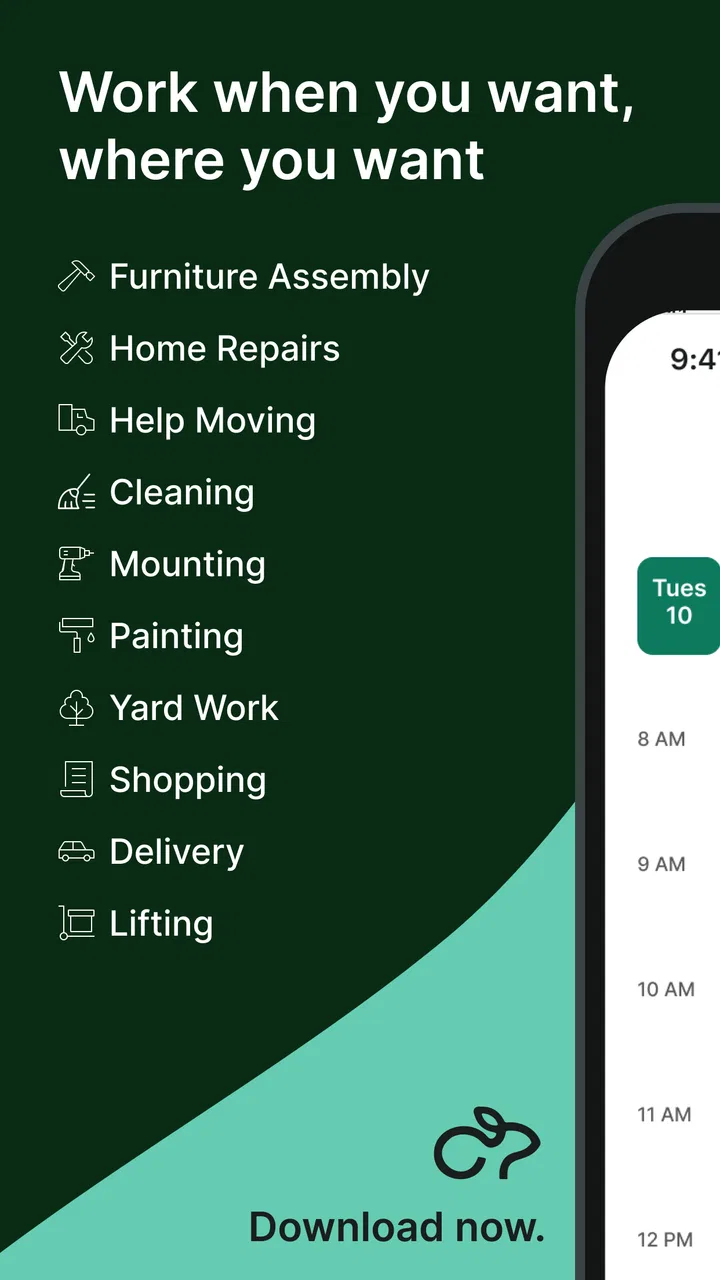
Tasker by Taskrabbit is a platform that connects users with skilled individuals, known as Taskers, who can perform various tasks ranging from cleaning and handyman work to delivery and personal assistance. Users can browse through Taskers based on reviews, skills, and rates, and book them for specific jobs. The app facilitates payments and communication, ensuring a seamless experience for both parties.
02Is Tasker by Taskrabbit available in my area?
Tasker by Taskrabbit is available in numerous cities across the United States, Canada, the United Kingdom, and other countries. Before downloading, it's advisable to check the app or the website to see if services are available in your specific area. The platform continuously expands its reach, so availability may change over time.
03What are the costs associated with using Tasker by Taskrabbit?
The cost of using Tasker by Taskrabbit depends on the type of task and the Tasker’s hourly rate. Taskers set their own rates based on their skills and experience. There may also be a service fee added to the total cost. It’s important to review the pricing details before booking a Tasker to ensure transparency and avoid unexpected charges.
04How does Tasker by Taskrabbit ensure the safety and reliability of Taskers?
Tasker by Taskrabbit has a robust vetting process for Taskers, which includes identity verification and background checks. Users can view ratings and reviews left by previous clients, providing insight into a Tasker’s reliability and quality of work. The app also offers a secure payment system and customer support to address any concerns.
05Can I cancel a task booking on Tasker by Taskrabbit?
Yes, you can cancel a task booking on Tasker by Taskrabbit, but cancellation policies may vary. It’s important to check the specific terms related to cancellations, as some may incur fees if not done within a certain timeframe. The app provides guidelines on how to manage bookings and cancellations effectively.
Pros
- Highly customizable task management.
- User-friendly interface for easy navigation.
- Wide range of task categories available.
- Real-time updates and notifications.
- Secure payment system for transactions.
Cons
- Limited free features; subscription needed.
- Occasional delays in tasker responses.
- Some tasks may be overpriced.
- Requires internet for most functionalities.
- Limited availability in smaller regions.

Tasker by Taskrabbit
Gallery